
Intro
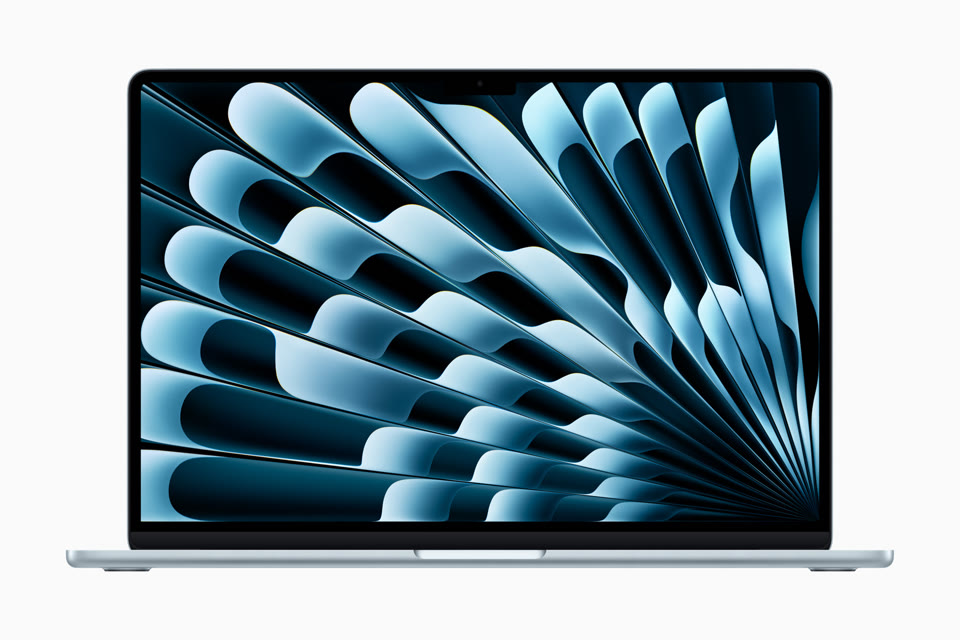
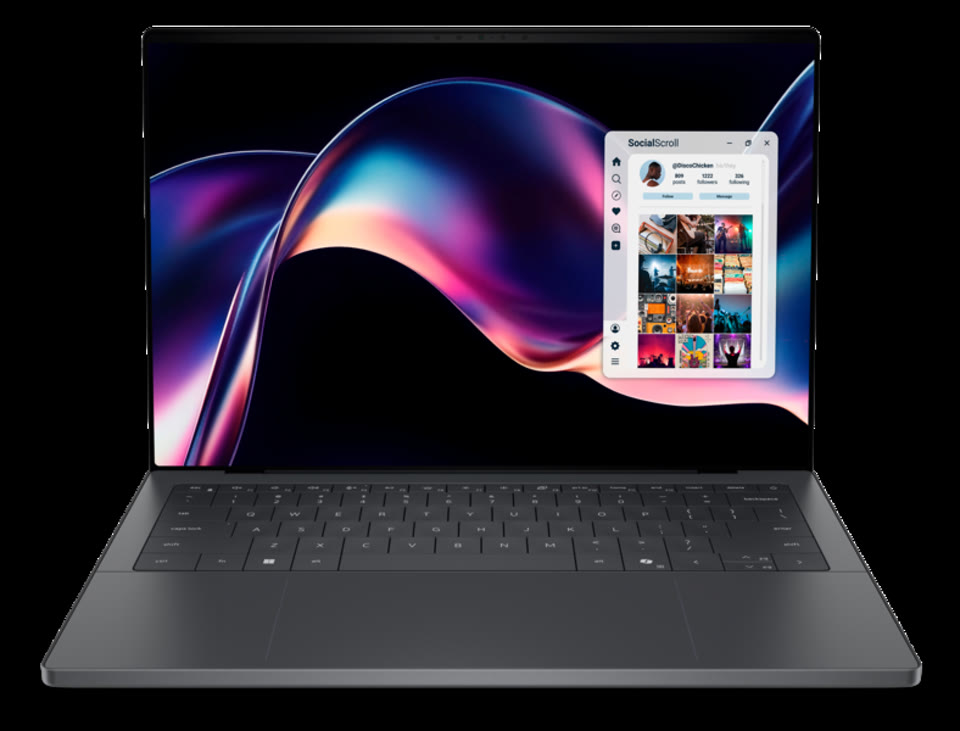
As of September 2026, the natural ultraportable matchup is Apple’s MacBook Air 13-inch with M5 (launched March 2026) versus Dell’s revived XPS 14 (2026) — model family DA14260. Apple also sells a 15-inch Air at a higher starting price; this piece focuses on the 13-inch Air because it sits closest in size and travel weight to the 14-inch XPS.
The decision is rarely about a single benchmark score. It is usually ecosystem and battery (Air) versus Windows software, OLED options, and an extra Thunderbolt port (XPS). Specs below are from Apple’s tech specs / newsroom and Dell shop/support pages plus major reviews (Tom’s Guide, PCMag, Windows Central). Manufacturer battery claims are listed as claims; real-world numbers vary.
Spec table
| Spec | MacBook Air 13″ (M5) | Dell XPS 14 (2026) |
|---|---|---|
| Starting price (US) | $1,099 | $1,599 |
| Display | 13.6″ Liquid Retina IPS, 2560×1664 (224 ppi), 500 nits | 14.0″: 2K IPS 1920×1200, 1–120 Hz, 500 nits (base) or 2.8K tandem OLED touch 2880×1800, 20–120 Hz (~400 nits claimed) |
| Chip / CPU | Apple M5 — 10-core CPU (4 performance + 6 efficiency), 8-core GPU base (10-core GPU configurable) | Intel Series 3 Core Ultra (Panther Lake): Ultra 5 325 base → Ultra 7 / Ultra X7 / Ultra X9 options; integrated Intel Graphics / Arc |
| Discrete GPU | None | None on 2026 XPS 14 (iGPU only) |
| RAM (base / max) | 16 GB unified (config to 24 / 32 GB) | 16 GB LPDDR5X (config to 32 / 64 GB) |
| Storage (base / max) | 512 GB SSD (config to 1 / 2 / 4 TB); not user-upgradable | 512 GB M.2 NVMe (config to 1 / 2 / 4 TB); M.2 module is typically replaceable — confirm your SKU |
| Battery (claimed) | Up to 18 hrs video streaming / 15 hrs wireless web (Apple); 53.8 Wh | 70 Wh pack; Dell marketing cites very long runtimes on LCD configs (reviews often cite ~30+ hrs class claims). Independent lab: ~20+ hrs web on LCD, ~12 hrs on OLED (Tom’s Guide) |
| Weight | 2.7 lb (1.23 kg) | ~3.00 lb / 1.36 kg (OLED); ~3.05 lb / 1.38 kg (LCD) |
| Thickness | 0.44 in (1.13 cm) | 0.58 in OLED / 0.60 in LCD |
| Ports | MagSafe 3, 2× Thunderbolt 4 (USB-C), 3.5 mm headphone | 3× Thunderbolt 4 (USB-C) with DP 2.1 + USB-PD, 3.5 mm headphone; no HDMI, no SD/microSD |
| Wireless | Apple N1: Wi-Fi 7, Bluetooth 6 | Intel Wi-Fi 7, Bluetooth 6 |
| Camera | 12MP Center Stage | 1080p-class webcam (exact module varies by review unit — confirm SKU) |
| OS | macOS | Windows 11 |
Display & keyboard
MacBook Air sticks with a bright, sharp IPS Liquid Retina panel: 500 nits, P3 wide color, True Tone. It is excellent outdoors and for text. There is no OLED option and no high-refresh-rate mode.
XPS 14 lets you choose:
- 2K IPS (non-touch) — matte-leaning productivity panel, 500 nits, adaptive 1–120 Hz, best battery partner.
- 2.8K tandem OLED (touch) — the headline screen: deep blacks, punchy HDR, 20–120 Hz. Reviews praise contrast; measured SDR brightness is lower than the IPS option, and PWM/flicker sensitivity is a personal check if you are prone to eye strain on OLED.
Keyboards: the Air’s Magic Keyboard with Touch ID remains a travel favorite. The 2026 XPS returns physical function keys (the capacitive touch strip is gone) and adds edge etching on the haptic trackpad so you can feel the pad boundaries — a practical fix reviewers called out.
Performance & battery
For coding, docs, browsing, meetings, and light creative work, both are more than enough.
- Air (M5) leads on sustained efficiency and Apple’s claimed all-day battery (up to 18 hours video). Unified memory and Apple Silicon media engines make it strong for photo work, local AI features, and long flights without hunting for an outlet.
- XPS 14 (Panther Lake) is a big step for thin Windows notebooks: strong multi-core for its class, capable integrated Arc graphics for light gaming / creative assist, and a larger 70 Wh battery. Pick the IPS config if endurance is the priority; OLED looks better but drains faster in lab tests.
Heavy Windows-only software, Active Directory / corporate imaging, or CUDA-style GPU workflows that still assume Nvidia tip toward XPS (or a different Windows machine with discrete graphics — the 2026 XPS 14 itself is iGPU-only). macOS-only apps, Continuity with iPhone/iPad, and maximum unplugged time tip toward the Air.
Neither machine is a substitute for a thicker gaming or workstation laptop.
Ports & expandability
This is where buyer expectations often lag the 2026 hardware:
- Air: MagSafe charging keeps a Thunderbolt port free, but you only get two Thunderbolt 4 ports total. Expect a hub for HDMI, Ethernet, or SD. Storage and RAM are soldered.
- XPS 14: Three Thunderbolt 4 ports and USB-PD charging through them (100 W adapter recommended). Still no native HDMI and no microSD/SD reader on the 2026 redesign — creatives who dump camera cards daily need a reader dongle. RAM is LPDDR5X (soldered); the M.2 SSD is generally the upgrade path if Dell’s service manual for your unit allows it.
Factor dongles into total cost for whichever machine you pick.
Who should buy which
| Buy the MacBook Air 13″ (M5) if… | Buy the Dell XPS 14 (2026) if… |
|---|---|
| You already live in Apple’s ecosystem (iPhone, iCloud, Continuity) | You need Windows 11 natively for work or school |
| Battery life and the lightest bag weight matter most | You want a tandem OLED option or 120 Hz panels |
| $1,099 starting price is the budget ceiling | You want a third Thunderbolt port and up-to-64 GB RAM configs |
| You are fine with MagSafe + a small hub | You prefer a replaceable M.2 SSD path (verify SKU) |
Verdict: Most people who already own an iPhone and want one ultraportable for travel should start with the MacBook Air 13-inch (M5). Choose the XPS 14 when Windows is non-negotiable or you specifically want the OLED / higher RAM ceiling — and budget for the higher starting price ($1,599 vs $1,099). If you need a larger canvas without leaving Apple, look at the 15-inch Air ($1,299 start) rather than forcing the XPS comparison.
FAQ
Is the XPS 14 better for gaming than the MacBook Air?
Only lightly. The 2026 XPS 14 uses integrated Intel Arc graphics (no Nvidia option on this model). Casual / esports titles at reduced settings are realistic; demanding AAA at native resolution is not. The Air is similarly an ultraportable, not a gaming laptop. Buy a dedicated gaming machine if games are the point.
Does the XPS 14 still have HDMI and an SD card slot?
No on the 2026 DA14260: three Thunderbolt 4 ports and a headphone jack only. Older XPS / “Dell Premium” 14-inch machines sometimes had more I/O — do not assume that carries over.
Can I run Windows on the MacBook Air?
Not practically via Boot Camp on Apple Silicon. Use cloud PCs, virtualization (with ARM Windows limits), or keep a separate Windows machine for software that must be native.
Which holds value better?
Historically MacBooks. Resale for XPS varies more with config and condition. Treat resale as a soft factor, not a guarantee — check current secondary-market comps before you lean on it.
Should I get the 15-inch MacBook Air instead of the XPS 14?
If you want more screen in the Apple ecosystem and can accept ~3.3 lb, yes — the 15-inch Air is the better peer for “bigger canvas” than stretching the 13-inch Air. If you need Windows or OLED, stay on the XPS side.