Intro
Under $100 in late 2026, you no longer need a custom group buy for a hot-swap, foam-damped mechanical board. This guide is the office / typing shortlist — QMK/VIA remaps, full-size numpads, and creamy gasket boards that live next to a laptop dock.
Filed under SpecRel Laptops as a desk accessory guide (see our separate gaming keyboards guide for RGB-first FPS picks). Specs from Keychron/RK pages and Amazon listings.
What matters for typing under $100
- Layout — 75% keeps arrows + F-row in less space; 100% keeps the numpad for spreadsheets.
- Firmware — QMK/VIA means real remaps without proprietary lock-in.
- Hot-swap — try switches without soldering.
- Keycaps — double-shot PBT resists shine better than thin ABS.
- Mount — gasket / foam stacks sound “creamy”; tray mounts feel firmer and cheaper.
Spec table
| Model | Layout | Connection | Highlights | Approx. street |
|---|---|---|---|---|
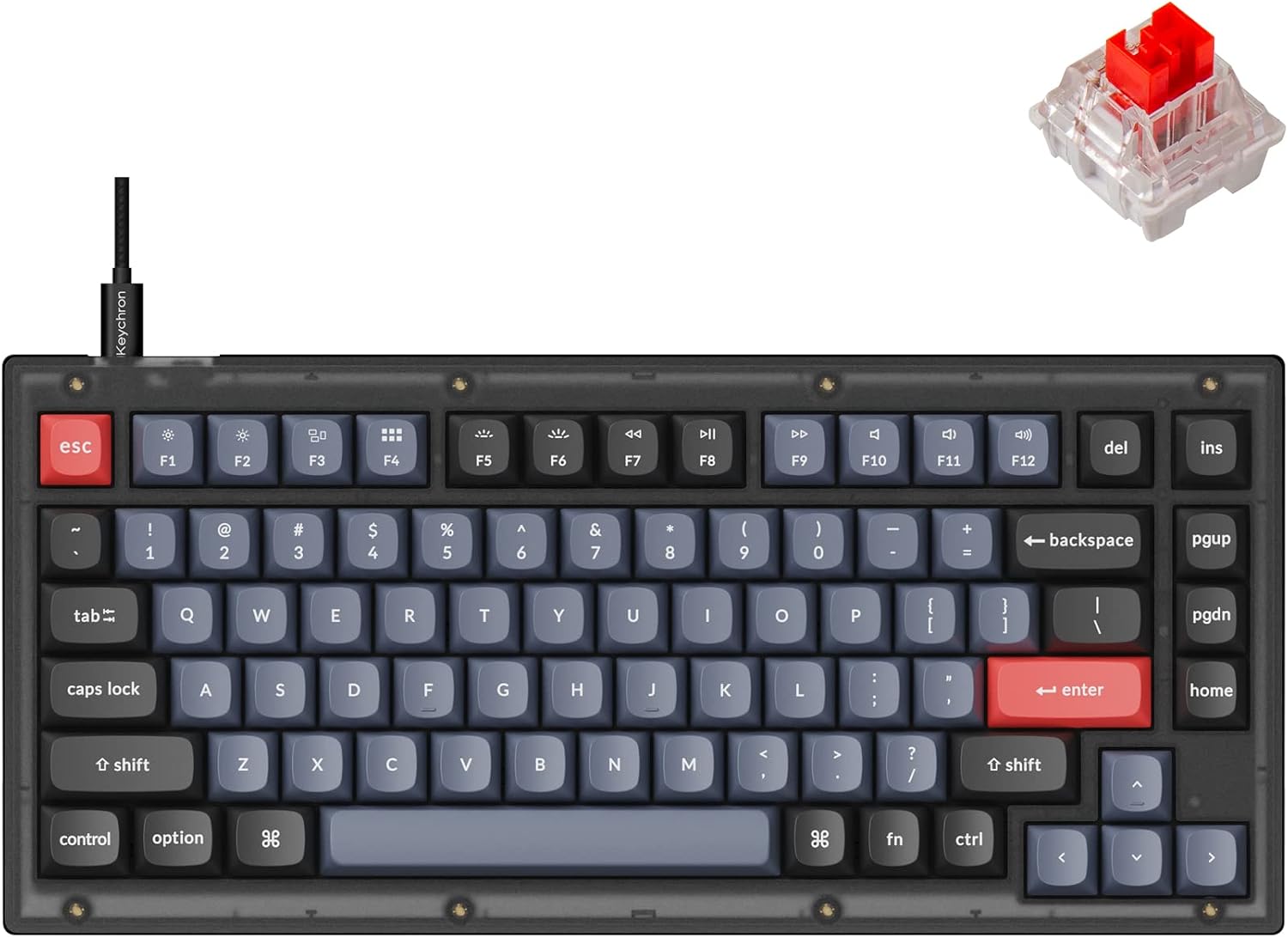
| Keychron V1 | 75% (82 keys) | Wired USB-C | QMK/VIA, hot-swap, PBT OSA caps, south RGB, screw-in stabs | ~$76 |
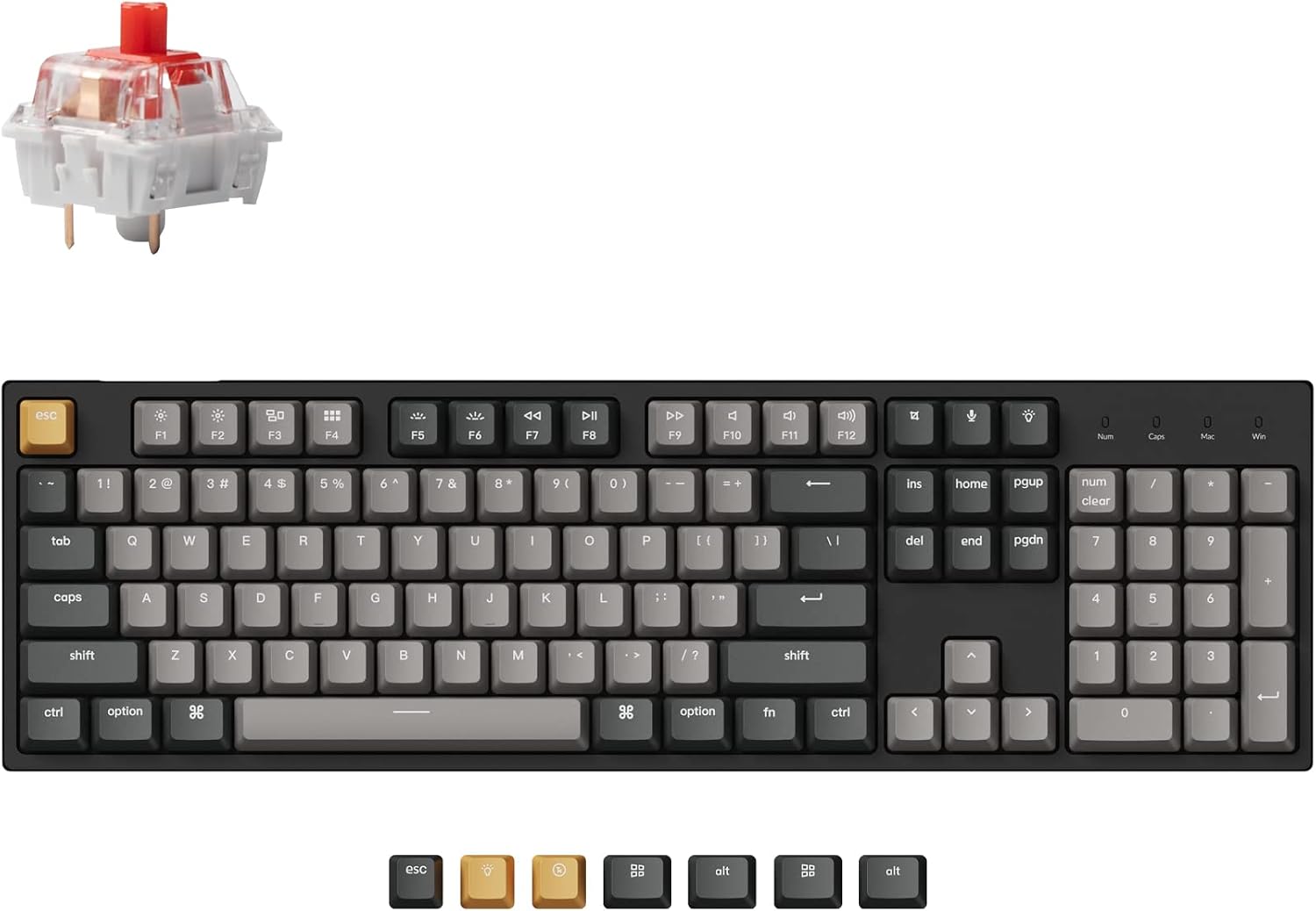
| Keychron C2 Pro | Full-size 100% | Wired USB-C | QMK/VIA, hot-swap, PBT, Mac/Win keycaps, 1000 Hz | ~$55–$70 |
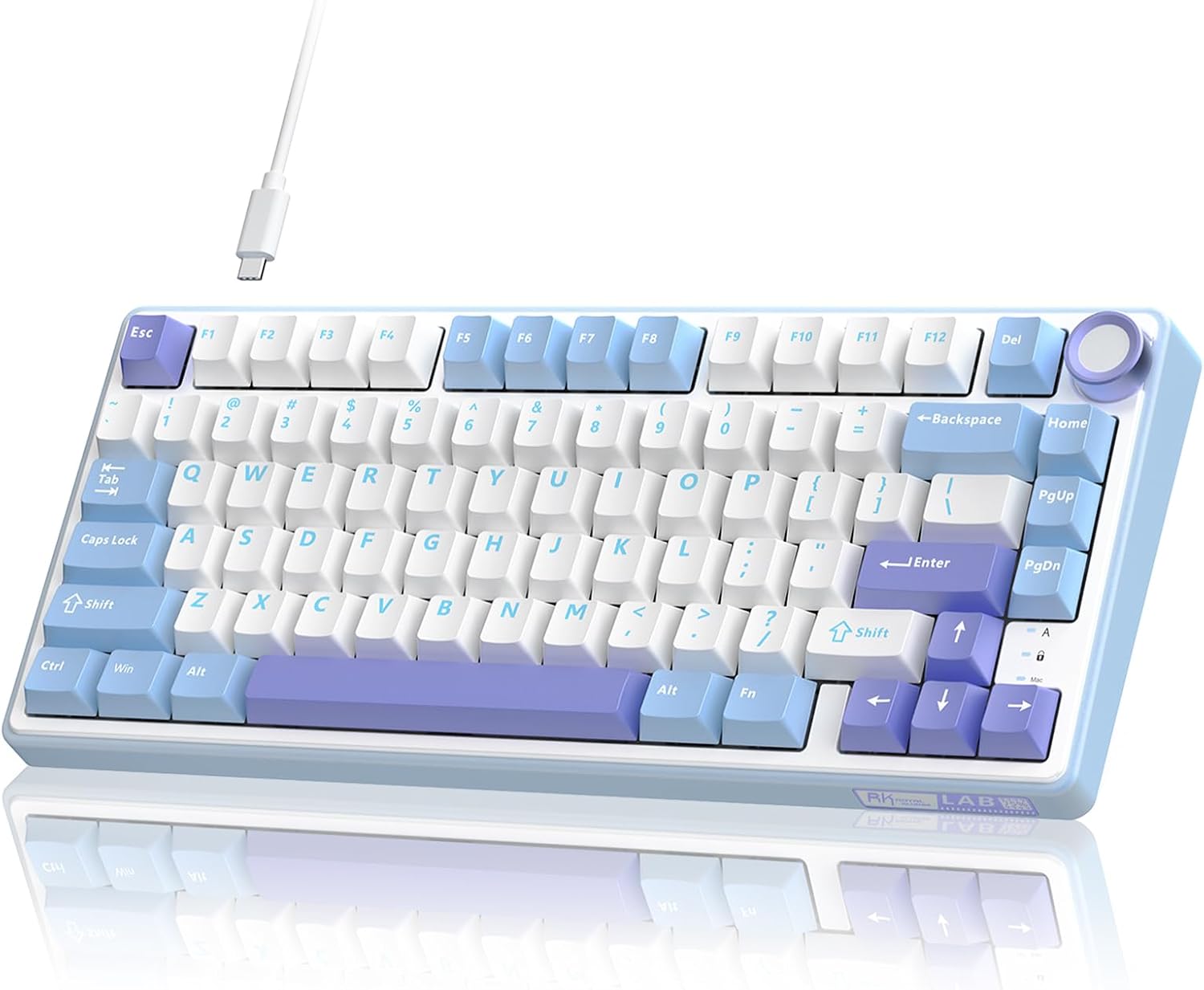
| RK R75 | 75% + knob | Wired USB-C | Gasket mount, hot-swap linear, PBT, volume knob | ~$50–$70 |
Best for custom typing: Keychron V1
Buy this if you want open-source remaps and a compact board for code + docs.
The V1 remains the reference QMK/VIA starter: hot-swap sockets, double-shot PBT, acoustic foam, and Mac/Windows keycap sets. Wired-only keeps latency simple for long writing sessions. Skip if you need wireless — look at gaming-guide wireless boards instead.
Best full-size / numpad: Keychron C2 Pro
Buy this if Excel, ERP, or CAD macros still need a dedicated number pad.
C2 Pro brings QMK/VIA and hot-swap into a 100% shell without blowing the budget. South-facing RGB plays nicer with Cherry-profile aftermarket caps. Ideal next to a docking station on a WFH desk.
Best creamy gasket value: RK ROYAL KLUDGE R75
Buy this if you want out-of-box thock, a volume knob, and gasket foam under ~$70.
The R75 is the crowd-pleasing “creamy” wired 75%. Pre-lubed linears and multi-layer dampening sound closer to midrange customs than old tray-mount boards. Software is proprietary (not QMK) — fine if you mostly want feel, not deep firmware.
Ranking criteria
- Typing comfort past two hours
- Remap flexibility (QMK/VIA preferred)
- Stabilizer quality on space/enter
- PBT longevity
- Return policy
Verdict
| Use case | Pick |
|---|---|
| Best overall typing | Keychron V1 |
| Best full-size | Keychron C2 Pro |
| Best creamy gasket | RK R75 |
| Want wireless / RGB gaming? | See our gaming keyboards under $100 guide |
Skip: membrane boards marketed as “mechanical feel”; unrebranded boards with no firmware path.
FAQ
Linear vs tactile for office?
Tactile (brown-style) gives feedback without loud clicks. Linear (red/silver) is smoother for fast typists. Hot-swap lets you experiment.
Mac-friendly?
Keychron ships Mac keycaps and OS toggles. RK works on macOS as a standard HID keyboard; fancy software may be Windows-first.
Is gasket mount required?
No — but foam + gasket usually sounds better out of the box than hollow tray mounts.