
Intro
Thin USB-C / Thunderbolt laptops still ship with too few ports. As of late September 2026, a solid under-$50 hub covers HDMI, USB-A leftovers, and Power Delivery passthrough without a $200 dock tax.
This is a laptop accessories guide in SpecRel’s Computer accessories category. Specs come from Anker/UGREEN pages and live Amazon listings.
What matters under $50
- HDMI resolution — 4K@30 Hz is fine for slides; 4K@60 Hz needs a better chipset (and often DP 1.4 on the laptop).
- PD passthrough — hubs sip ~10–15 W; bring a 65–100 W wall charger if you want the notebook to charge while docked.
- USB speed — 5 Gbps is the budget floor; 10 Gbps shows up near the $50 ceiling.
- Host requirements — your laptop USB-C port must support DP Alt Mode + Power Delivery for video + charge.
- Heat & longevity — cheap hubs get warm under full load; buy from brands with real warranties.
Spec table
| Model | Ports | HDMI | PD passthrough | Data speed | Approx. street |
|---|---|---|---|---|---|
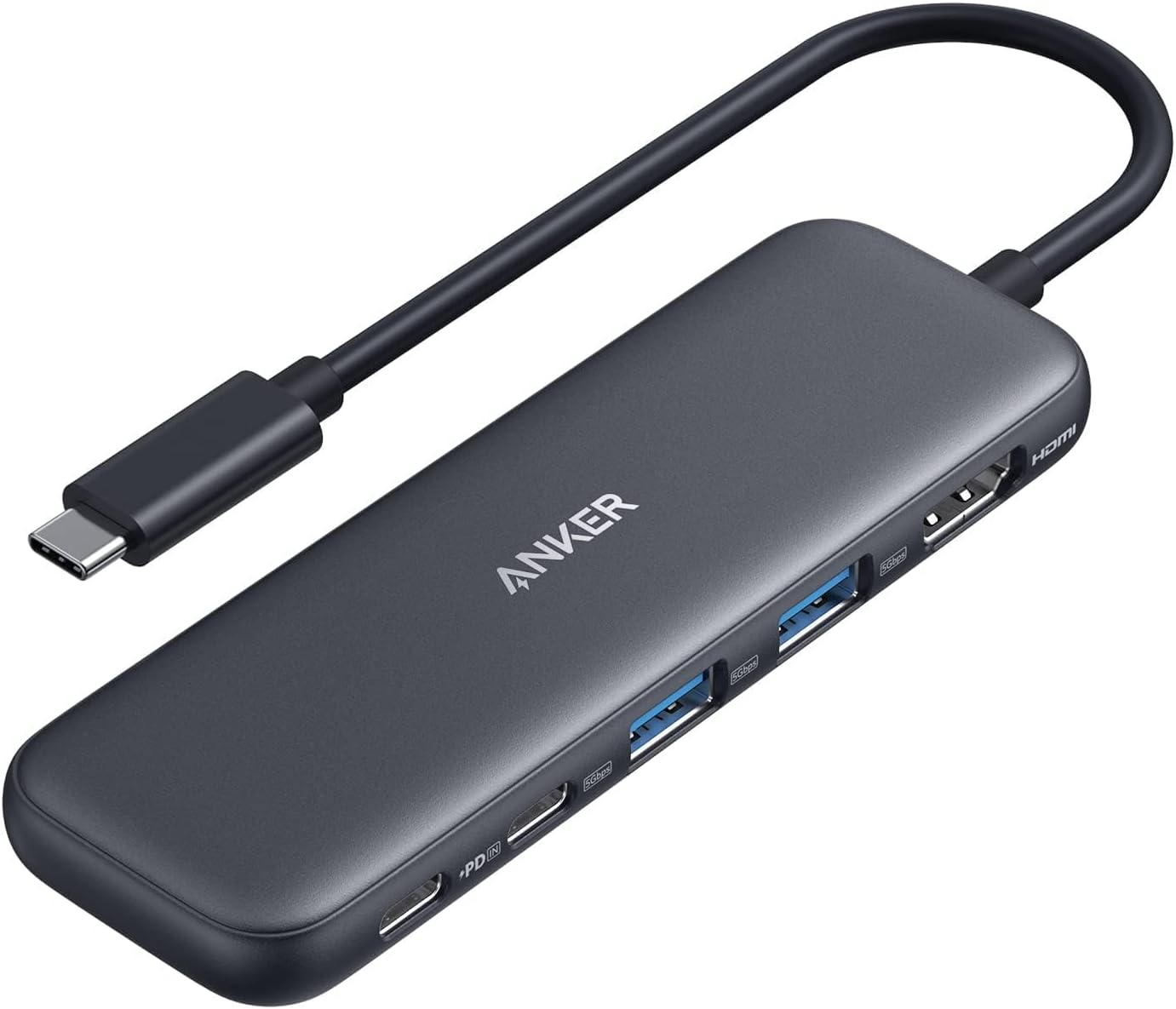
| Anker 332 (5-in-1) | HDMI, USB-C data, 2× USB-A, PD-in | Up to 4K@30 Hz | Up to ~85 W | 5 Gbps | Often ~$14–$25 |
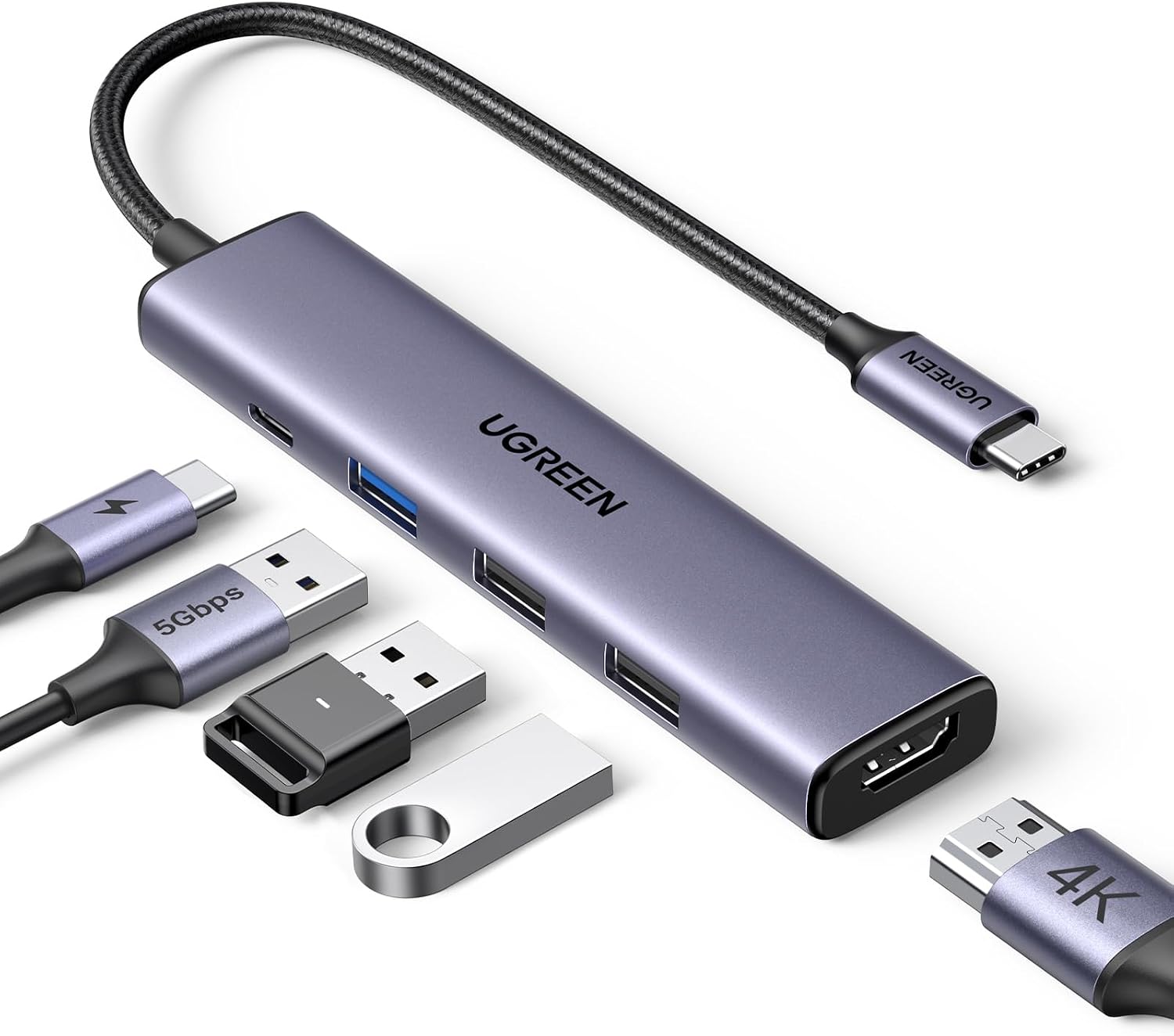
| UGREEN 5-in-1 | HDMI, 3× USB-A, PD | Up to 4K (check listing Hz) | Up to ~100 W in | 5 Gbps class | Often ~$12–$20 |
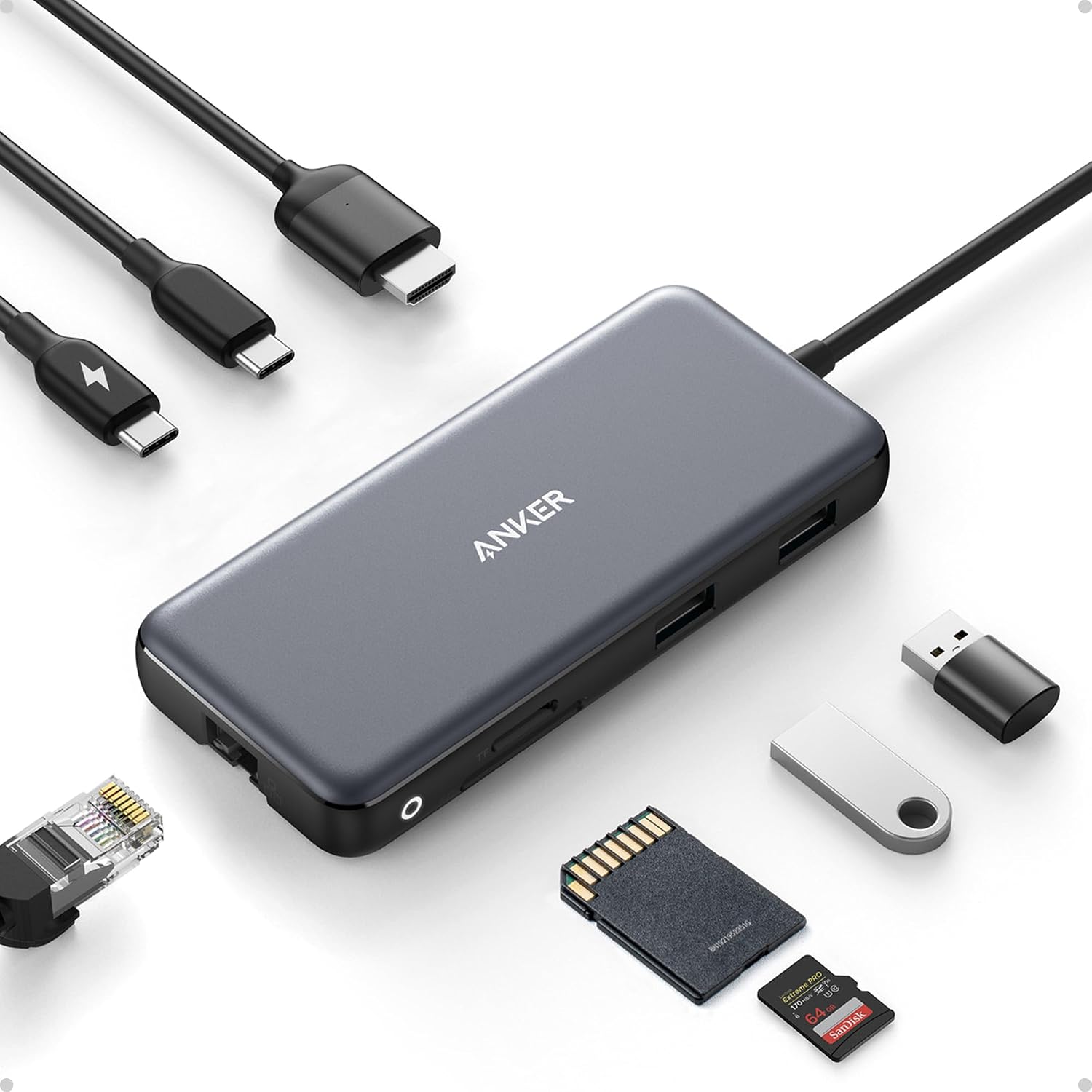
| Anker 555 (8-in-1) | HDMI, Ethernet, SD/microSD, USB-C + 2× USB-A, PD | Up to 4K@60 Hz (DP 1.4 hosts) | Up to ~85 W | 10 Gbps | ~$50 |
Best everyday dongle: Anker 332 USB-C Hub (5-in-1)
Buy this if you need HDMI + a couple USB-A ports and passthrough charging without clutter.
Anker’s 332 (A8355) is the high-velocity Amazon pick for a reason: simple, compact, and backed by Anker’s warranty trail. HDMI tops out at 4K@30 — perfect for presentations, not buttery 4K gaming. Plug a wall charger into the PD-in port when you want the laptop topped up.
Best absolute budget: UGREEN USB-C Hub 5-in-1
Buy this if price is the constraint and you mostly need HDMI + USB-A for a mouse/keyboard.
UGREEN’s multiport adapter undercuts Anker on many sale days. Confirm the exact HDMI Hz on the listing you click — some SKUs advertise 4K without spelling out 30 vs 60. Fine for Chromebooks, ultraportables, and classroom carts.
Best near-$50 powerhouse: Anker 555 USB-C Hub (8-in-1)
Buy this if you want Ethernet, SD/microSD, and 10 Gbps USB without jumping to a full dock.
The 555 (A8383) sits at the top of this budget. 4K@60 needs a DP 1.4-capable host; older DP 1.2 laptops may fall back to 4K@30. It runs warmer under full load — normal for this class — and still needs a proper 100 W-class PD charger for max passthrough.
How we ranked
- Port mix that actually replaces a dock for travel
- Reliable HDMI negotiation on MacBook / XPS / ThinkPad class hosts
- PD passthrough that doesn’t brown-out mid-meeting
- Brand warranty and return friendliness
- Street price staying at or under $50
Verdict
| Use case | Pick |
|---|---|
| Best everyday under $50 | Anker 332 5-in-1 |
| Cheapest HDMI expand | UGREEN 5-in-1 |
| Best full feature near $50 | Anker 555 8-in-1 |
| Stretch if… | Dual 4K monitors or TB5 docks — those leave this budget |
Skip: no-name hubs promising dual 8K from a single USB-C port at $19; unpowered hubs for bus-powered SSDs that disconnect under load.
FAQ
Will this charge my MacBook and drive a display?
If your MacBook USB-C supports DP Alt Mode and you attach a strong enough PD charger to the hub’s PD-in, yes for single external HDMI. Dual displays usually need DisplayLink or Thunderbolt docks.
USB-C vs Thunderbolt?
Most of these hubs are USB-C with DP Alt Mode, not full Thunderbolt docks. They work in TB ports for basic expand, but won’t unlock TB-only bandwidth tricks.
Why does my hub get hot?
Video + PD + USB load generates heat. If it throttles or disconnects, reduce load or step up to a larger dock with better thermals.